
+61 (1800) 953522 | info@aircraftspruce.com.au
Aircraft Spruce Australia
Melbourne, VIC Australia
Aircraft Spruce Australia
Melbourne, VIC Australia
 Aircraft Spruce Australia
- Wishlists
- +61 (1800) 953522
- Contact Us


 Contact Us
 Call Us
 Sign In
THE AVIATION SUPERSTORE FOR ALL YOUR AIRCRAFT & PILOT NEEDS | +61 (1800) 953522
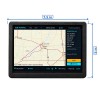
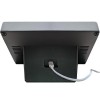
- Photo may represent series and not specific product
- SHARE


Desktop Air Traffic Display - Compact Aircraft Tracking Monitor - Black
Select Version:
DisplayDisplay PlusPrice Includes GST
Overview
|
Bring the local sky to your desk.
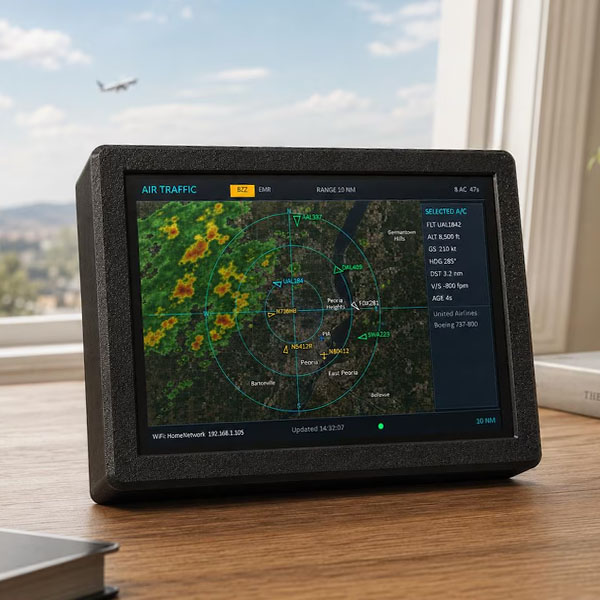
The Local Air Traffic™ device is a dedicated, always-on aircraft display designed to sit on your desk, counter, shelf, workshop bench, or aviation station and continuously show aircraft flying near your selected location. Unlike a phone app or website that you have to open, refresh, and interact with, Local Air Traffic™ is designed to stay powered on throughout the day. Walk past it, glance at the screen, and immediately see what is flying nearby. It is ideal for aviation enthusiasts, pilots, plane spotters, flight tracking fans, offices, workshops, man caves, ham radio rooms, and anyone who has ever looked up and wondered, “What plane is that?” IMPORTANT — PLEASE READ BEFORE ORDERING Local Air Traffic™ is intentionally designed as a dedicated, always-on aircraft information display. It is not intended to replace full-featured commercial flight-tracking services such as FlightAware, FlightRadar24, or similar paid subscription services. Those services may offer additional historical information, advanced flight data, higher-detail maps, airline scheduling information, playback features, and other features that require ongoing subscriptions or advertising-supported services. Local Air Traffic™ is different. There is NO MONTHLY SUBSCRIPTION required to use the device. The goal is to provide an attractive, convenient display you can leave running all day and quickly glance at whenever you want to see what aircraft are nearby. WEATHER RADAR The weather radar overlay is included as a free additional feature and is provided using third-party weather data. The weather layer is intended to give you a quick visual indication of precipitation around your area. Because this is an embedded 800×480 display and the weather imagery is supplied by an external service, weather graphics may appear less detailed or more pixelated than weather maps viewed on a high-resolution computer monitor, tablet, or premium weather application. If your primary goal is high-resolution weather radar, this is probably not the right product for you. The primary purpose of Local Air Traffic™ is aircraft tracking, with weather radar included as a convenient additional reference. PLUS VERSION Choose the PLUS version to add an extensive onboard database of aircraft photographs, allowing the device to display an image of many aircraft types alongside their flight information. **PLEASE NOTE** This product is intended for hobby, display, and informational use only. It is not intended for aircraft navigation, flight safety, emergency response, air traffic control, dispatch, or other operational aviation purposes. Third-party aircraft, mapping, and weather services may occasionally experience outages, delays, coverage limitations, or changes outside of our control. |
Features
- Dedicated always-on aircraft display
- Live local aircraft tracking
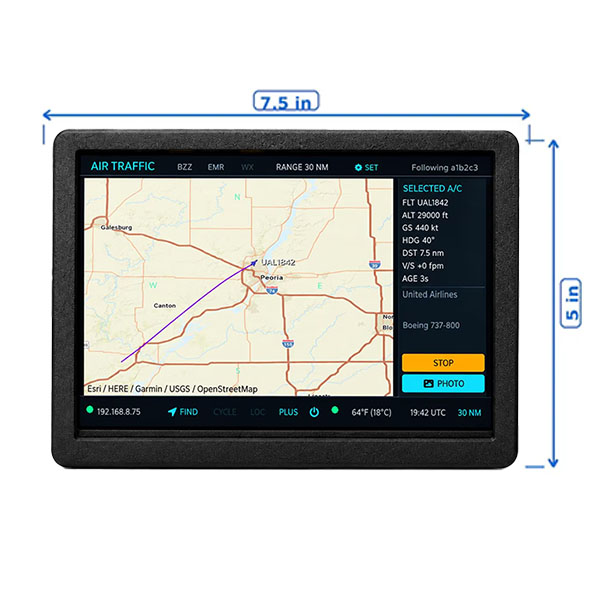
- Follow an aircraft from source to destination (NEW)
- Find an aircraft by flight number and follow it (NEW)
- Radar-style aircraft view
- Satellite map background
- Weather radar overlay
- Range options: 1, 2.5, 5, 10, 25, 30, 40, and 50 nautical miles
- Aircraft details including flight, altitude, ground speed, heading, distance, vertical speed, and aircraft/operator information when available
- Filter aircraft by altitude range
- Multiple aircraft display styles for easier viewing
- New aircraft alert option
- Emergency alert tone option when emergency aircraft data is available
- Touchscreen controls
- Automatic operation after initial setup
- Designed to remain powered on throughout the day
- NO monthly subscription required
A Note About Aircraft Data
Aircraft information comes from third-party aircraft tracking data sources. Information availability, update frequency, aircraft coverage, photographs, callsigns, operator information, and other details can vary depending on the aircraft, location, receiver coverage, and data made available by those services.
Because of this, Local Air Traffic™ should not be expected to show every aircraft or every piece of information available through every commercial flight-tracking service.PLEASE MAKE SURE THIS PRODUCT IS RIGHT FOR YOU
Local Air Traffic™ is a great choice if you want:
A dedicated aircraft display that stays on all day
Something you can glance at without opening an app
Local aircraft information on a physical touchscreen display
No monthly subscription fees
A fun aviation display for your desk, office, workshop, or home
It may NOT be the right product if you are looking for:
A complete replacement for FlightAware, FlightRadar24, or another commercial aviation service
Airline schedule management or detailed historical flight playback
Professional aviation or dispatch information
High-resolution weather radar comparable to a desktop weather service
Navigation-quality or safety-critical aircraft information
Setup
Wi-Fi Requirement: Requires a 2.4 GHz Wi-Fi connection with Internet access.
On first startup, connect to the device from your phone or computer and enter your Wi-Fi and location settings.
Once configured, simply leave the device plugged in. It will automatically start and continuously display aircraft near your selected location whenever it is powered on.
NO PHONE, TABLET, OR COMPUTER IS REQUIRED DURING NORMAL USE.
In The Box
- Local Air Traffic™ display device
- USB power supply
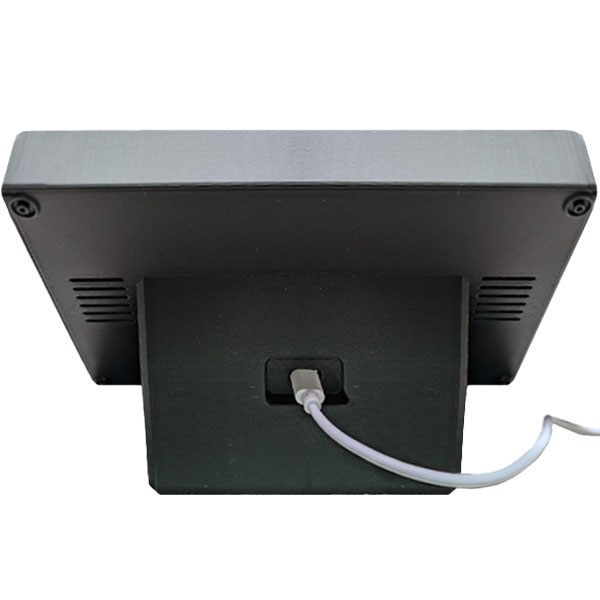
- USB power cable
- Getting started instructions
- ** Requires a 2.4Ghz WiFi Network Connection